

Which Property Holds the Language
There are two ways to tell Lettr where the language is. Use the first one whenever you can.Designate a property
When you create or edit a property under Audience → Properties, tick Use as communication language. The property then shows a Communication language badge in the list, and campaigns read the language from it and nothing else.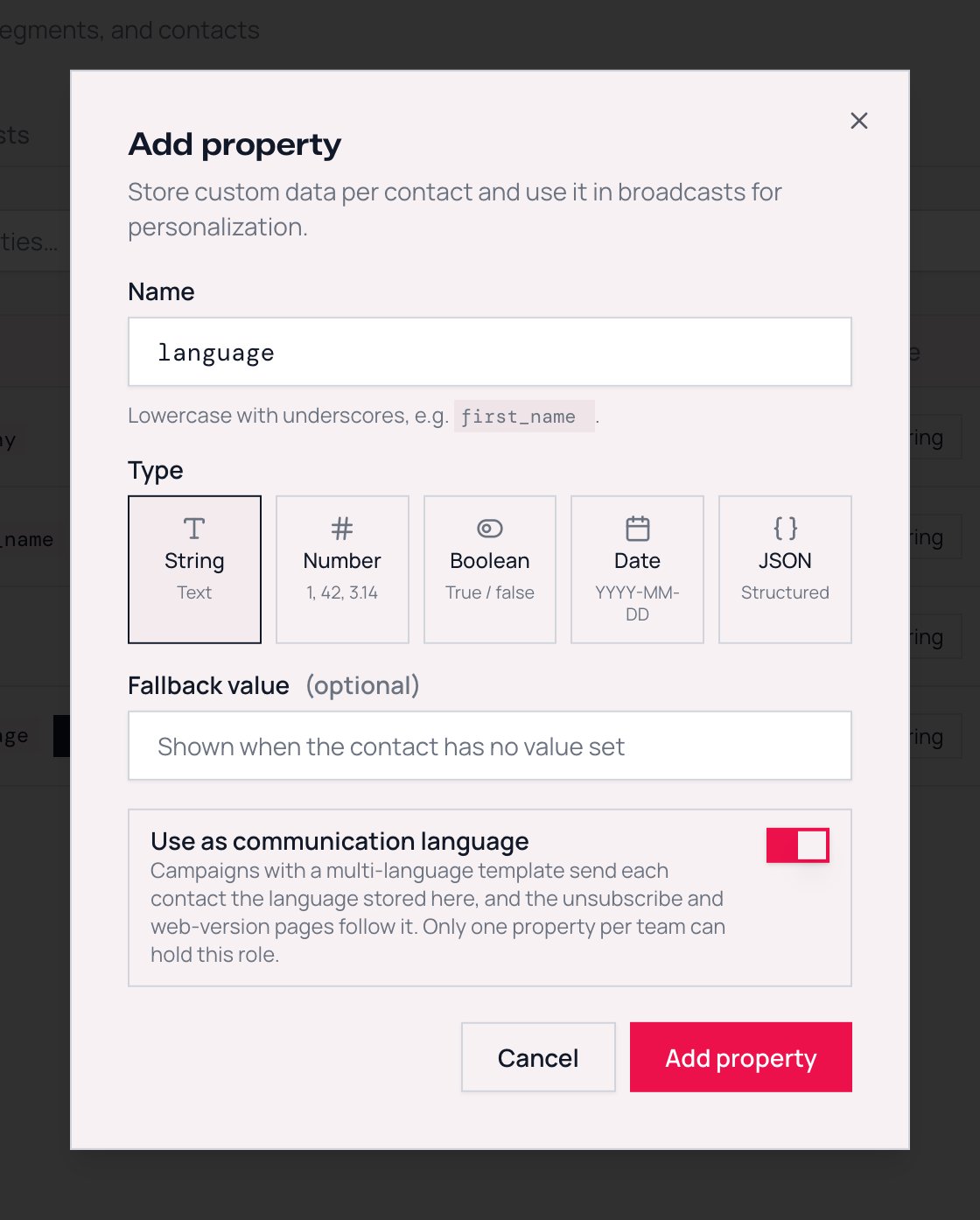
Try it in the app
Follow an interactive walkthrough of this guide inside Lettr.
Or let Lettr find it by name
If no property is designated, Lettr looks for the language under these property names, in this order:communication_languagecommunication_langlanguagelanglocale
language but locale set to de still receives German. The Review & Send panel names the first of these properties your team has defined, and tells you which case you are in: designated language property or matched by property name.
This is why a CSV imported with a lang column routes campaigns correctly without any setup. Property names are always lowercase, so the names match exactly as written above. A CSV column called Language works once you map it to a property named language.
How Values Are Matched
Language values in real audiences are messy. One import hasde, another has de_DE, a signup form wrote German, and someone typed Deutsch by hand. Lettr accepts all of them.
For each recipient, Lettr takes the property value and compares it with the languages the template has, from the strictest rule to the loosest. The first rule that matches wins.
Before comparing, Lettr trims spaces around the value. A value made only of spaces counts as empty. Each contact has one language: a list such as
de,en matches nothing and gets the primary language.
Rule 2 means regional variants reach their base language. Templates built in the editor use two-letter language codes, so a contact stored as pt-BR and one stored as pt-PT both receive the pt version.
Accepted spellings
Rule 3 uses this table. Matching is case-insensitive. A value that is not in the table and is not a language tag with a matching base falls through to the primary language.
These are also the 19 languages the automatic unsubscribe footer and the hosted pages are translated into. See What recipients get.
Languages outside this table still work under rules 1 and 2. A template with a
hu version and contacts with hu or hu-HU route correctly. Only the name-based spellings such as hungarian are unavailable for them.
What Happens With No Match
A recipient receives the primary language of the template when:- the language property is empty or missing on their contact, or
- the value matches none of the template’s languages under the three rules, for example
itwhen the template has no Italian version, or a typo likegermn.
This is different from the contact’s fallback value. A property fallback fills in a merge tag when a contact has no value. The primary-language fallback decides which version of the email a contact receives. Setting a fallback value of
en on your language property does not route contacts to English. Only the contact’s own value counts.The Language of Hosted Pages
The Manage email preferences page and the unsubscribe page are hosted by Lettr and exist in the same 19 languages. They use the same language source as campaigns, designated or found by name, and pick the language in this order:- The contact’s language value, when it is one of the 19 languages.
- The team’s Default communication language, set under Settings → Team.
- English.
hu therefore gets a Hungarian email if the template has one, but sees the hosted pages in your team’s default language. If most of your audience does not speak English, set the team default to the language they do speak.
The web version of a multilingual campaign is different: it always shows the language version that was sent to that recipient.
Try it in the app
Follow an interactive walkthrough of this guide inside Lettr.
Setting the Value
The language is an ordinary property value, so every way of writing contact data works:- Dashboard: edit the contact and set the property.
- CSV import: map the column to your language property in the import flow. A column named
langorlanguagecan be mapped to a property of the same name and needs no further setup. - API: pass it in
propertieswhen you create, update or bulk create contacts. The property has to exist first. A key your team has not defined is rejected withOne or more property keys are not registered for your team., so create the property, then the contacts.
Designating the property through the API
The Use as communication language switch is thepurpose field on the property. Pass "communication_language" when you create or update a property. When updating, send null to remove the designation, or leave purpose out to keep it as it is.
Finding Contacts Without a Language
Segments have is empty and is not empty operators. A segment with the conditionlanguage is empty lists every contact who would receive the primary language for lack of a value. Fix them before the send, or use the segment to exclude them, or accept the fallback. The review panel shows the count either way, and its count is the one to trust: a value made only of spaces is not caught by is empty, but it still counts as no language when the campaign is sent.
Next Steps
Campaign setup
Per-language subject and sender, the review panel, and test sends
Custom properties
Property types, fallback values, and how properties become merge tags